
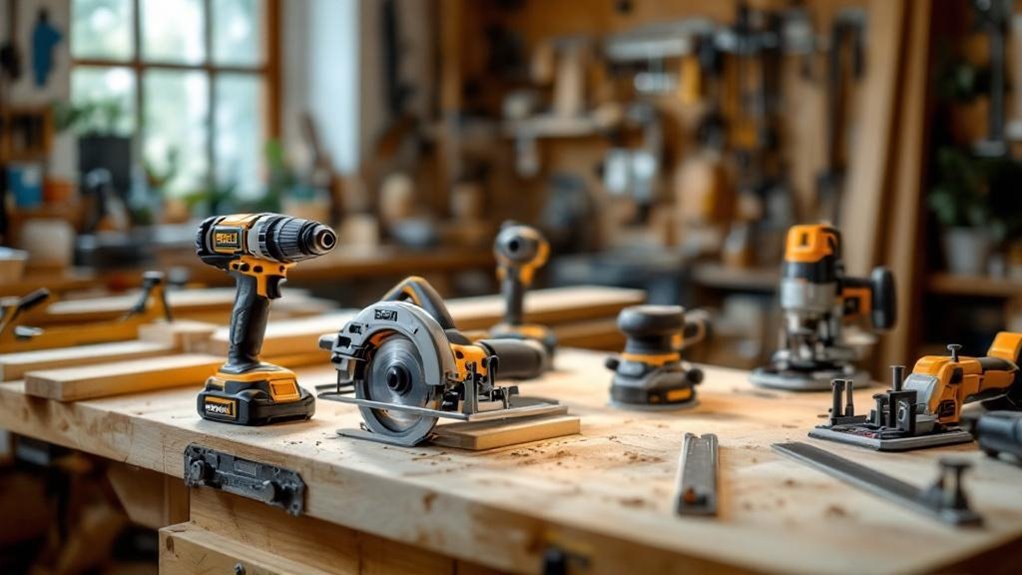
If you’re building a woodworking setup, start with a table saw, miter saw, router, and drill/impact driver combo. The table saw gives you accurate ripping and repeatable cuts, the miter saw speeds precise crosscuts, and the router adds joinery and edge shaping. A random orbital sander improves finish quality fast. Add a circular saw or jigsaw for breakdown work, and you’ll cover most shop tasks efficiently. The next tools you choose depend on your projects and space.
Key Takeaways
- A table saw makes the biggest difference for accurate ripping, crosscutting, and repeatable straight cuts on larger stock.
- A miter saw speeds up precise crosscuts and angle cuts, making trim work and furniture assembly much easier.
- A router adds major versatility for edge shaping, grooves, and joinery, greatly expanding what you can build.
- A drill and impact driver combo covers essential hole-making and fastening tasks with speed and portability.
- A random orbital sander improves final quality by producing smooth finishes without swirl marks and with less cleanup.
Which Woodworking Power Tools Matter Most?
When you’re setting up a woodworking shop, the tools that matter most are the ones that deliver accuracy, efficiency, and versatility.
Your must-have power tools start with a table saw for straight ripping and crosscutting, giving you repeatable accuracy on core stock work. Add a miter saw when you need precise angle and miter cuts for trim or furniture parts.
A router expands your capability with edge shaping, grooves, and decorative profiles, while a drill and impact driver combo speeds hole making and screw driving during assembly.
Finish with a random orbital sander so you can prepare surfaces without swirl marks and get a smooth, consistent finish.
Together, these tools cover layout, cutting, joining, shaping, and finishing with professional results.
Why the Table Saw Makes the Biggest Difference
The table saw often makes the biggest difference because it’s the shop’s workhorse for long, straight rip cuts and repeatable crosscuts with consistent accuracy.
You can size boards quickly, then keep dimensions uniform across a project without constant remeasuring. A quality table saw gives you a flat reference surface, stable support, and enough power to handle larger stock cleanly.
You can size boards quickly, then keep dimensions uniform without constant remeasuring.
With the right blade, fence, and jigs, you can also cut dadoes and miters when the job calls for them. That versatility boosts your output and tightens your tolerances.
When you invest in a precise table saw, you reduce waste, speed setup, and improve fit. For serious woodworking, it’s often the tool that raises your results from acceptable to professional.
How a Miter Saw Speeds Up Accurate Cuts
You can make fast, precise crosscuts and miter cuts with a miter saw, which speeds up trim work and furniture parts.
Its angle settings, laser guides, and dual bevel features help you align cuts accurately with less setup. Adjustable stop settings let you repeat the same trim length quickly without losing precision.
Precise Angle Cuts
Dialing in precise angle cuts starts with a miter saw, a tool built for accurate crosscuts and repeatable angled cuts in trim work and furniture making.
When you use miter saws, you can set exact bevels and miters, then cut cleanly without constant recalibration. Laser guides and integrated fences help you align stock fast, hold the cut line, and limit error. That precision matters when you need tight joints, matched casing, or consistent frames.
You’ll also save material because accurate cuts reduce scrap and rework. Used alongside a table saw, a miter saw supports a full cutting workflow, but it handles angled cuts faster and with less setup.
A quality saw gives you better control, cleaner results, and more reliable project outcomes.
Fast Repeatable Trims
A miter saw also reduces setup time compared with hand tools, so you spend more time cutting and less time marking. If your model slides, you can handle wider boards in one pass, which keeps the cut clean and consistent.
That repeatability matters: accurate cuts improve fit, speed assembly, and increase the durability of the finished project. When you need efficient trim work, this tool delivers dependable results.
When a Router Changes Your Joinery Game
A router can transform joinery work by cutting clean grooves, mortises, and other precise joints with speed and control. You can swap router bits to match the joint, whether you’re shaping a rabbets, hollowing a mortise, or refining an edge.
A router transforms joinery with clean grooves, precise mortises, and crisp edges, all with speed and control.
That versatility lets you build stronger, cleaner-looking connections without relying on slow hand-tool work. When you use a jig or template, you improve repeatability and keep parts consistent across a batch.
Depth and speed adjustments give you tighter control, so you can dial in the cut for harder stock or delicate layouts.
In practice, a router streamlines complex joinery, reduces setup time, and helps you produce accurate, professional results on every project.
Why Every Shop Needs a Drill and Impact Driver
Every shop should have a drill and an impact driver because each tool solves a different job with speed and control. You’ll use the drill driver for clean, accurate holes and for pilot holes that keep layouts true.
Then switch to the impact driver when you need high torque for screws; its hammering action drives fasteners efficiently and helps reduce stripping. A cordless combo gives you mobility, so you can work in tight spaces or on a job site without cords getting in the way.
Look for sets with multiple speed settings and solid battery runtime, like the Makita XT275PT, to match different tasks.
For woodworking, this pairing boosts productivity, improves fastening quality, and gives you dependable performance whether you’re a beginner or an experienced craftsman.
The Jigsaw’s Role in Curves and Cutouts
When your layout calls for curves, inside corners, or cutouts, the jigsaw becomes the right tool for the job. You can steer it easily through intricate shapes because its lightweight body and reciprocating blade give you control without fighting the tool. A jigsaw also adapts fast to different tasks.
- Swap blades to match hardwood, plywood, or plastic.
- Use variable speed to slow the cut on tight radii.
- Start with a drilled entry hole for interior cutouts.
- Keep the shoe flat to reduce tear-out and improve accuracy.
If you’re still building skill, the jigsaw helps you move from simple straight cuts to detailed work with confidence.
Models like the Milwaukee 2737-21 show how brushless motors can boost power and runtime.
How a Circular Saw Helps Break Down Lumber
Break down sheet goods and rough lumber fast with a circular saw, the go-to tool for making straight, clean cuts through plywood and dimensional stock. You can move it to the jobsite, set up quickly, and start cutting without dragging out a stationary machine. Its motor and rotating blade give you the power to slice through thick material efficiently.
| Task | Benefit |
|---|---|
| Plywood breakdown | Faster handling |
| Rough lumber cuts | Straight results |
| Rip fence use | Better accuracy |
| Straight edge guide | Cleaner edges |
| Protective gear | Safer operation |
When you guide the circular saw with a fence or straight edge, you improve cut quality and reduce waste. Keep your work area clear, wear eye protection, and control the tool firmly. This setup helps you turn oversized stock into manageable parts with less effort and better precision.
What a Band Saw Adds to Your Workshop
After you’ve broken down stock with a circular saw, a band saw gives your workshop a different kind of cutting ability: it handles curves, irregular shapes, and tight profiles with far more control.
You can guide the band saw through layout lines with confidence because the continuous blade tracks smoothly and leaves cleaner edges.
- Cut intricate shapes for joinery parts.
- Resaw thick boards into thinner stock.
- Reduce splintering on delicate work.
- Improve control on small pieces.
That precision expands what you can build, from furniture components to detailed craft parts.
When you need accurate curves or custom thicknesses, the band saw adds capability that straight-line saws can’t match, while keeping the cut visible and manageable throughout the operation.
Why a Planer Improves Board Thickness Fast
You can thickness boards fast with a planer because it removes material evenly across the surface, so every pass brings you closer to a uniform dimension.
It also knocks down rough spots and helps you create parallel faces, which gives you a better fit for joinery and assembly.
With less hand sanding needed, you’ll spend less time on prep and keep your workflow moving.
Fast, Even Thickness
A planer gives you fast, even thickness by removing a controlled amount of material from the face of a board, turning rough lumber into smooth, uniform stock in far less time than hand planing or sanding.
You can dimension boards accurately and keep every piece consistent for jointing and assembly. A planer also reduces repeated lumber-store trips because you can buy rough stock and mill it yourself. Most planer models handle boards up to 12 inches wide, giving you useful capacity for common projects.
- Set depth precisely.
- Feed boards steadily.
- Check thickness often.
- Match parts before assembly.
With a planer, you’ll save time, improve fit, and produce stock that behaves predictably throughout your project.
Remove Rough Spots
Rough spots disappear quickly when you run a board through a planer, because it removes high areas and inconsistencies in a controlled pass. You get uniform thickness faster, and tools are essential when you need predictable stock for a project.
| Task | Result | Benefit |
|---|---|---|
| Plane one face | Flattened reference | Stable setup |
| Thickness both sides | Even board size | Accurate stock |
| Process wider lumber | Up to 12 inches | Less hand work |
Better Fit, Less Sanding
A planer brings board thickness into spec fast by shaving material evenly across the face, so you get uniform stock with far less sanding and hand shaping.
You can remove up to 1/8 inch per pass, depending on the machine and cut depth. That speed matters when your parts need tight fit and clean glue lines.
Use these power tools to:
- Match both faces to a target thickness.
- Keep joints aligned for precise assembly.
- Leave a smoother surface for minimal sanding.
- Save time on rough-sawn lumber and improve finish quality.
When you plane correctly, your boards fit better, your setup stays predictable, and your final project looks sharper with less effort.
How a Jointer Helps You Flatten Stock
When you need a flat, true reference surface, the jointer is the tool that gets you there by removing twists, cups, and bows from rough stock and squaring one edge at the same time.
You run one face across the beds, and the high-speed knives trim the high spots until the board lies flat. That flat face becomes your reference for later milling, and the squared edge gives you a reliable edge for ripping or layout.
Because the jointer uses extended beds, you can support longer boards and keep cuts consistent. It also lets you handle wider stock with confidence, expanding your lumber options.
What a Random Orbital Sander Fixes Best
Because it combines a circular sanding motion with an orbital pattern, the random orbital sander fixes surface flaws without leaving obvious swirl marks. You can use it on flats, curves, and edges, so it’s ideal when you need controlled cleanup without gouging adjacent areas.
The random orbital sander also works through grit changes, letting you move from aggressive refinement to fine finishing in one workflow. Its dust collection helps keep your line of sight clear and reduces airborne debris.
It moves from aggressive refinement to fine finishing in one workflow, while dust collection keeps your view clear.
- Scratch removal
- Light finish leveling
- Edge blending
- Final smoothing
Its vibration-absorbing design lets you sand longer with less fatigue, which improves consistency on larger panels and detailed parts.
How a Belt Sander Handles Heavy Material Removal
With a continuous loop of sandpaper driven at high speed, a belt sander removes heavy material fast, making it a strong choice for leveling, flattening, and reshaping larger wood surfaces.
You can start with coarse 40 to 60 grit belts when you need aggressive stock removal, then move to 120 grit or finer for cleanup. This tool works well for stripping paint, varnish, and rounding over hard edges on thicker lumber.
Because the belt sander cuts quickly, you need a steady hand and even pressure to avoid dips, ridges, or gouges. Keep the tool moving across the workpiece, and replace a worn belt promptly. Fresh abrasive maintains cutting speed, reduces heat, and helps you finish heavy removal tasks with better control and smoother results.
Why a Handheld Planer Saves Time on Rough Stock
You can flatten rough stock fast with a handheld planer, removing high spots and bringing the face into plane in a few passes.
Its adjustable depth lets you set thickness accurately, so you get even material removal without repeated jointing. That cuts prep time before assembly and leaves you with a cleaner surface that needs less sanding.
Rapid Stock Flattening
A handheld planer is a fast way to flatten rough stock by shaving off high spots and bringing a board closer to flat in minutes. You can use a handheld planer to remove up to 1/8 inch per pass, so you spend less time on rough lumber and more time on joinery. Set the depth control to match the board’s condition, then work methodically across the surface.
- Check for twist and bow.
- Mark high spots with pencil.
- Make light, overlapping passes.
- Recheck flatness after each round.
Because it’s portable, you can flatten stock on-site or in the shop without moving heavy boards to stationary equipment. That flexibility boosts throughput when you’re prepping multiple boards for later machining.
Even Thickness Fast
Dial in a handheld planer to bring rough lumber to an even thickness fast, creating the uniform stock needed for tight, seamless joinery. Your handheld planer cuts high spots efficiently, and many models remove up to 1/16 inch per pass, so you can size boards quickly without a stationary machine. Adjust the depth setting for controlled, repeatable removal, then check thickness after each pass. You’ll save labor because the tool leaves a smoother surface that needs far less sanding.
| Benefit | Effect | Result |
|---|---|---|
| Fast cutting | Removes material per pass | Less prep time |
| Adjustable depth | Fine control | Accurate thickness |
| Portable design | Works on large boards | Flexible setup |
Use it when rough stock must become usable stock fast.
Which Woodworking Tools Improve Accuracy Most?
For the most accurate woodworking results, the tools you choose need to control both measurement and cut geometry. You’ll get the biggest gains from tools that lock in dimensions and square surfaces.
- Table saws deliver repeatable straight cuts and handle larger boards with tight control.
- Miter saws give you precise angle cuts, which helps when you need exact trim joints and clean fittings.
- Calipers and marking gauges let you measure to the millimeter, so your layout stays exact before you cut.
- A jointer creates one perfectly flat, square edge, giving you a dependable reference for accurate assembly.
Routers also improve accuracy when you need controlled edges and joinery.
If you want consistent results, use these tools together, and check every setup before cutting.
Corded Vs. Cordless Woodworking Tools
Which setup fits your shop best: corded or cordless woodworking tools? In corded vs. cordless woodworking tools, your choice depends on workload and mobility. Corded models deliver steadier power, so you can drive larger bits, cut denser stock, and run tools all day with no battery concerns. Cordless models free you from outlets, which helps when you move between rooms or work outdoors. They also reduce setup time on jobsites, but they usually cost more because you’re buying batteries and chargers too.
| Feature | Best fit |
|---|---|
| Power | Corded |
| Mobility | Cordless |
For maximum torque and sustained performance, pick corded. For smaller tasks and fast repositioning, cordless gives you cleaner workflow and less cord management.
How Battery Life Changes Cordless Tool Value
Battery life changes how much value you actually get from cordless tools because longer runtimes mean fewer stops to swap or recharge batteries. You should compare battery life by amp hours, because 4Ah or 5Ah packs usually keep you working longer between charges.
Lithium-ion packs typically give you about 30% more run time than older nickel-cadmium batteries, so they improve throughput immediately. Runtime also depends on the tool itself; a cordless drill can last up to 30% longer than an impact driver on similar tasks.
- Check Ah ratings.
- Favor lithium-ion chemistry.
- Match runtime to task load.
- Use quick recharge systems.
If your charger restores power in 30-60 minutes, you’ll spend less time waiting and more time cutting, drilling, and assembling.
Which Woodworking Tools Fit a Small Shop?
In a small shop, you’ll get the most value from space-saving essentials like a compact table saw and a miter saw, since they handle accurate rip cuts, crosscuts, and angles without dominating the floor.
A jigsaw adds compact, maneuverable cutting for curves and detail work, while cordless drills and impact drivers give you flexible fastening without cord clutter.
Finish work with a random orbital sander, which stores easily and still delivers a smooth surface in tight quarters.
Space-Saving Essentials
A small shop works best when every tool earns its footprint, and a compact circular saw is a strong starting point because it handles a wide range of cuts without taking up much bench or floor space.
For space-saving essentials, you should prioritize tools that consolidate functions and store cleanly:
- Compact circular saw: supports ripping and crosscutting.
- Electric jigsaw: handles straight and curved cuts, then tucks away easily.
- Multi-functional router: performs shaping tasks that’d otherwise require several tools.
- Cordless drill and impact driver combo: gives you drilling and driving power without cord clutter.
Add a small dust vacuum to control sawdust and preserve usable space.
In a tight shop, mobility, easy storage, and task overlap matter more than owning every dedicated machine.
Compact Power Tool Picks
Compact power tools should earn their place by covering the most common woodworking tasks without crowding your bench or floor.
In a small shop, start with a compact circular saw for straight cuts on bulky sheet goods; you’ll keep portability and avoid dedicating space to a cabinet saw.
Add a cordless drill driver for drilling and fastening, since lightweight models let you work in tight corners.
A jigsaw handles curves and cutouts without demanding much storage.
For surface prep, a benchtop random orbital sander fits neatly on a shelf yet still levels and smooths efficiently.
If you need accurate crosscuts, a mini miter saw gives you precision in a smaller footprint than full-size units.
These compact power tools let you build more, not store more.
Which Budget Woodworking Tools Are Worth Buying?
- Makita XOB01T random orbit sander: use it to flatten marks and leave a consistent finish.
- Milwaukee 2737-21 jig saw kit: choose it for straight cuts, curves, and tight patterns without overspending.
- Makita XT275PT drill and impact driver combo: rely on it for drilling pilot holes and driving screws efficiently.
- Starter hand tools: buy a chisel set and claw hammer to handle layout, trimming, and light assembly.
If you want a larger upfront purchase, the DeWALT DCS7485T1 table saw can deliver accurate ripping and lower long-term waste.
For your first shop, prioritize tools that cover multiple tasks and reduce rework.
Which Woodworking Brands Are Most Trusted?
Steel City earns trust through thoughtful design and durable materials. Festool sets a high benchmark for woodworking power tools, delivering premium performance, though you’ll pay more for it.
Steel City earns trust with thoughtful design and durable materials, while Festool delivers premium performance at a premium price.
Grizzly and Jet stand out when you need larger machines with solid capability. Powermatic and DeWalt often get strong user satisfaction because their lineups cover many tool types and perform consistently.
Don’t rely on brand names alone, though. Check Amazon ratings, magazine tests, and hands-on reviews to compare real-world reliability, fit, and finish.
Individual model performance matters more than loyalty, so verify specs, ergonomics, and service support before you buy any tool.
How To Choose Woodworking Tools By Project Type
Once you’ve narrowed the brands you trust, match each tool to the work you actually need to do.
In woodworking, your power tools should fit the project, not the other way around. For cutting, choose a table saw or miter saw for accurate straight and angled cuts. For joinery, a biscuit joiner or router helps you build tight, seamless connections.
For shaping, an electric planer and random orbital sander are must-have woodworking tools when you need flat, smooth surfaces. For curves and detailed layouts, a jigsaw gives you control without sacrificing versatility.
- Large builds: use a band saw for resawing thick stock.
- Small builds: cordless tools improve mobility.
- Precision cuts: prioritize repeatable setups.
- Finish quality: select tools that reduce cleanup.
How To Maintain Woodworking Tools Properly
You should wipe off sawdust, dirt, and moisture after each use to keep your woodworking tools in reliable condition.
You also need to sharpen blades and bits on a regular schedule so they cut cleanly and stay safe to use.
Store hand tools on pegboards and keep power tools in protective cases away from moisture to reduce wear and extend service life.
Clean After Every Use
Clean your woodworking tools after every use by wiping away sawdust, dirt, and moisture to prevent rust and keep them in reliable working condition. You’ll preserve accuracy, reduce corrosion, and support clean cuts on your next project. Focus on a consistent routine:
- Brush off debris from housings, vents, and handles.
- Wipe metal surfaces with a dry, lint-free cloth.
- Remove sticky residue with a mild cleaner, then dry fully.
- Inspect cords, guards, and fasteners for damage.
Don’t leave tools damp in a case or on the bench. Clean surfaces help you spot wear early and keep equipment ready for immediate use.
If you finish each session this way, you’ll maintain performance and extend tool life without adding extra maintenance time.
Sharpen Blades And Bits
After cleaning your tools, check the cutting edges and bits for dullness, nicks, or buildup that can affect performance. Regular sharpening keeps blades cutting cleanly, which boosts safety and reduces effort. Use a sharpening stone or honing guide for chisels and planer blades to hold a precise edge. For drill and router bits, rely on a sharpening jig or electric sharpener to preserve angle and avoid overheating. | Tool | Method |
| — | — |
|---|---|
| Chisels | Stone, honing guide |
| Planer blades | Stone, honing guide |
| Drill bits | Jig, electric sharpener |
| Router bits | Jig, electric sharpener |
| Schedule | Few weeks to months |
Base sharpening frequency on use: heavy use needs attention every few weeks, while lighter use can wait months. Well-sharpened tools last longer and leave a cleaner finish on every project.
Store Tools The Right Way
Store tools in a dry, organized place right after use to prevent rust, damage, and moisture exposure. To store tools the right way, you should clean, inspect, and protect each item before putting it away.
- Wipe off dirt and sawdust after every job.
- Lubricate moving parts with the correct oil.
- Hang hand tools on pegboards or place them in organizers.
- Keep power tools in fitted cases.
This routine limits corrosion, keeps cutting edges ready, and reduces impact damage. You’ll also spot worn cords, loose fasteners, or cracked housings sooner.
Regular storage discipline supports safer operation and extends tool life. If you maintain this system consistently, your woodworking tools will stay accurate, reliable, and ready for the next cut.
Frequently Asked Questions
What Are the Best Power Tools for Woodworking?
You’ll get the best results with a table saw, miter saw, router, circular saw, and random orbital sander. You’ll cut, shape, and finish accurately, and you’ll handle most woodworking tasks efficiently.
What Is the Most Important Tool for Woodworking?
The table saw is your most important woodworking tool; it makes precise, repeatable rip cuts and crosscuts. About 80% of shop layout starts there. You’ll save time, improve accuracy, and handle most stock efficiently.
What to Get a Woodworker Who Has Everything?
Get premium router bits, saw blades, or specialty chisels; you’ll improve cut quality immediately. Add dust collection upgrades, a subscription box, or a woodworking course, and you’ll give him practical tools and ongoing inspiration.
What Is the Most Profitable Woodworking Item?
Custom furniture, especially dining tables and chairs, usually gives you the highest margins because you can charge for design, labor, and customization. Personalized cabinetry and engraved pieces can also boost your profit substantially.
Conclusion
In woodworking, you get the biggest gains when you match the tool to the task. A table saw gives you repeatable ripping, a miter saw gives you fast crosscuts, and a router gives you cleaner joinery. A drill and impact driver handle assembly efficiently, while budget tools can still deliver reliable results. Choose tools by project needs, maintain them well, and you’ll cut faster, work safer, and build with far more confidence.